Telegram Translation: Private Chats, Groups & Channels | Plusgram 13.1.1
Explore Telegram translation in Plusgram 13.1.1: automatic private chat translation, multilingual group replies, channel translation and previews before sending.
Telegram translation for private chats, groups and channels
Plusgram 13.1.1 makes Telegram chat translation easier: translate private conversations, prepare group messages in multiple languages and read channels in a language you understand. Follow international communities and talk with people across language barriers without leaving the conversation.
Plusgram is a third-party Telegram client. This guide describes Plusgram translation features; available controls depend on your installed version and account.
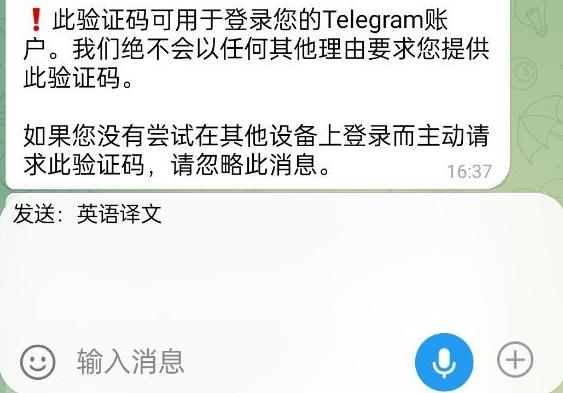
Private chat translation: read both versions and preview replies
Enable translation for a private conversation and choose separate reading and outgoing languages. Incoming plain text can show the original alongside its translation.
- Translate incoming messages into your preferred reading language while keeping the original available.
- Write in your own language, inspect the outgoing translation and tap the preview to expand it before sending.
- Switch back to sending the original whenever you prefer. Settings are saved separately for each private chat.
How to use it: open an ordinary private chat, tap the translation control at the top, enable private chat translation and save your reading and outgoing languages. Enable translated sending to see a preview as you type.
Group translation: join conversations in multiple languages
Read incoming text in your preferred language even when group members speak different languages. Choose one or more outgoing languages for international communities, collaboration and multilingual announcements.
- Choose reading and outgoing languages separately for each group.
- Prepare several translations in your selected order and choose whether to include the original.
- Review the complete preview before sending. If any target translation fails, the draft stays available for retry.
How to use it: open the translation settings at the top of a group, choose reading and outgoing languages and decide whether to include the original. Type your message, review the preview and then send.
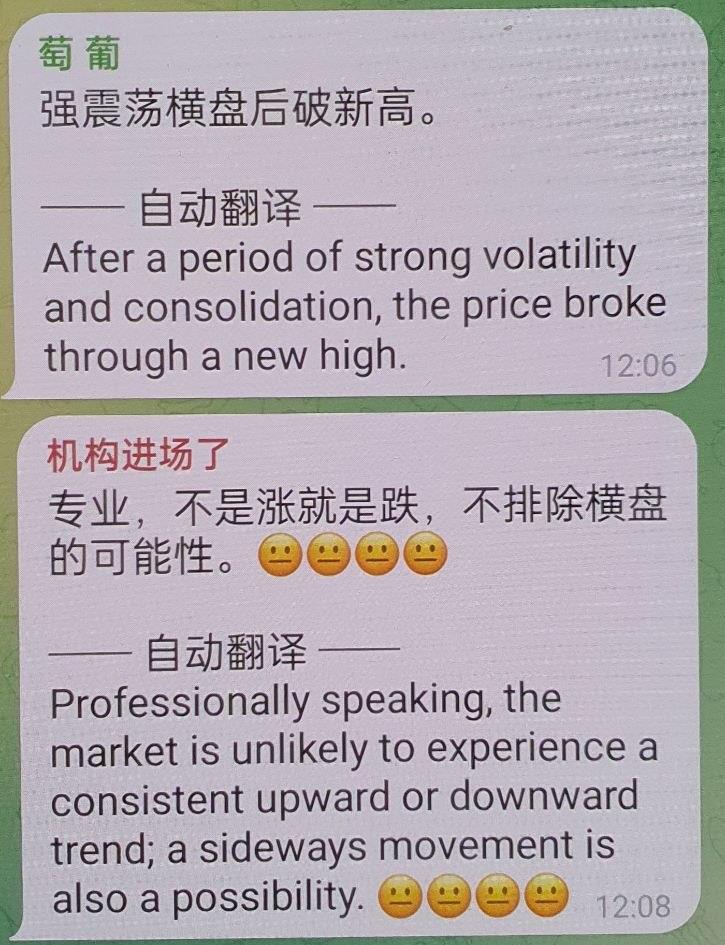
Channel translation: read international updates in your language
Enable automatic translation for a channel and select your target language to read international news and updates with less copying between apps. Channel translation focuses on reading; private chats and groups also offer outgoing translation.
How to use it: open the translation control at the top of a channel. In channel translation settings, enable automatic translation, choose the target language and save. Turn it off whenever you want to read the original.
Telegram translation questions
How do I translate Telegram messages into English?
In Plusgram, open a private chat, group or channel, open translation settings and choose English as the reading or target language. Enable translation to read supported text.
Can I translate a message before sending it?
Yes. Choose an outgoing language for a private chat, or one or more languages for a group. Write your message, review the translated preview and send when ready. You can also switch back to the original.
What happens if translation fails?
An incomplete, failed or outdated translation is not sent. Retry or switch to sending the original.
Which messages are supported? Do I need internet access?
The new private and group translation flow is mainly for ordinary text, excluding voice, polls and media captions. Bots, Saved Messages and secret chats are excluded. Translation requires an internet connection. Review important information before sending.
More in version 13.1.1
- More QR styling options, including gifts, collectibles and profile colors. Some decorations require Premium.
- Message-fee exemption QR options to create, reset and manage expiry where available.
- More gift and wallet controls, including collectible transfers, profile visibility, gift search and card decoration.
- Further adjustments to recording, media viewing and QR display. Availability, eligibility and fees follow the app prompts.